





'%3e%3cpath%20fill-rule='evenodd'%20clip-rule='evenodd'%20d='M33%2033H1V1H33V33Z'%20fill='white'/%3e%3cpath%20fill-rule='evenodd'%20clip-rule='evenodd'%20d='M33%2033H1V17H33V33Z'%20fill='%23DC143C'/%3e%3c/g%3e%3crect%20x='0.5'%20y='0.5'%20width='33'%20height='33'%20rx='16.5'%20stroke='black'%20stroke-opacity='0.1'/%3e%3cdefs%3e%3cclipPath%20id='clip0_37449_250459'%3e%3crect%20x='1'%20y='1'%20width='32'%20height='32'%20rx='16'%20fill='white'/%3e%3c/clipPath%3e%3c/defs%3e%3c/svg%3e)
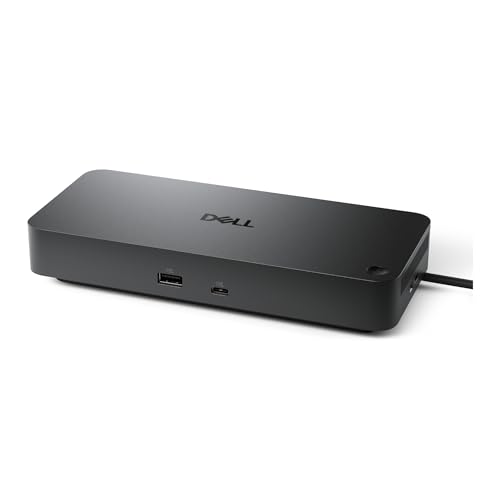

Whether you are a busy parent or a system administrator keeping dozens of desks running, efficient docking matters. Dell Pro Thunderbolt 5 Dock centralises firmware and peripheral control through Dell management tools, reducing repetitive hands-on updates. Silent update staging and select Intel AMT support cut routine desk visits and speed recovery for unresponsive PCs.
⚡ At a Glance
- • Device Management: Integration with Dell Device Management Console, Display and Peripheral Manager and Device Management Agent
- • Optimised for: IT teams deploying and updating peripherals and firmware across mixed-brand workspaces
- • Not suited to: Mac-first fleets seeking out-of-band power control; Intel AMT over Thunderbolt functions only on select Intel vPro PCs, so remote AMT control will not work for Macs
Centralises firmware deployment and peripheral settings across workspaces using Dell management software. Cross-brand features such as MAC Address Pass-Through and Power Button Sync ease day-to-day connectivity.
📋 Technical Details at a Glance
- Connectivity: Thunderbolt 5
- Management software: Dell Device Management Console; Dell Display and Peripheral Manager
- Agent requirement: Dell Device Management Agent installed on PC
- Firmware deployment: Single firmware file support across workspaces
- Firmware update behaviour: Silent firmware updates execute upon dock disconnection
The Impact of Firmware Management on Your Daily IT Maintenance
Single firmware file deployment across workspaces reduces the number of distinct update packages administrators must track. Silent firmware updates execute when the dock is disconnected, which removes audible prompts and limits visible disruption during working hours.
Fewer manual desk visits and less user interruption when rolling out updates across multiple locations. Plan update windows carefully because silent updates run on disconnection, so scheduling or brief user coordination is necessary as a trade-off.
Intel AMT for the Modern User
Intel Active Management Technology over Thunderbolt unlocks out-of-band management on select Intel vPro PCs via the connected dock, enabling tasks when the operating system is unresponsive. Centralised controls let administrators initiate recovery actions remotely on compatible endpoints.
Delivers genuine remote recovery options for vPro-equipped machines, cutting onsite troubleshooting time. Bear in mind that AMT functions require compatible vPro hardware, so full remote control depends on endpoint specifications.
✨ The Verdict on Dell Pro Thunderbolt 5 Dock Performance
- Dell Device Management integration – Centralises firmware and peripheral settings for faster rollouts
- Silent firmware updates – Minimises end-user disruption by staging updates during disconnection
- Intel AMT over Thunderbolt – Enables out-of-band recovery on compatible Intel vPro PCs
- MAC Address Pass-Through and Power Button Sync – Preserve network identity and simplify power control when docking laptops
❓ Frequently Asked Questions
Q: What software is required to manage the dock?
A: Dell Device Management Console along with Dell Display and Peripheral Manager, plus the Dell Device Management Agent installed on each PC, are required for centralised control. Pro-Tip: Verify the agent is deployed to endpoints before scheduling wide firmware rollouts to avoid incomplete updates.
Q: How does MAC Address Pass-Through work with docked laptops?
A: MAC Address Pass-Through preserves the laptop’s network identity when connected through the dock, which simplifies network policies and DHCP reservations. Pro-Tip: Keep accurate inventory records for docked MAC addresses so network access rules remain predictable when users move between workspaces.
Q: What does Power Button Sync actually do?
A: Power Button Sync synchronises the laptop and dock power controls so one press can wake or turn off the connected system. Pro-Tip: Test the behaviour on representative hardware before wide deployment, since synced operation depends on the laptop firmware and connection state.
🏆 Our Verdict
The Dell Pro Thunderbolt 5 Dock suits IT teams and managed-service providers who need centralised control and predictable rollouts across mixed-brand offices. Having a single firmware file to stage and the ability to manage peripherals remotely reduces repetitive maintenance tasks, so administrators regain hours otherwise spent visiting desks. For organisations that standardise on vPro-capable hardware, the dock delivers clear operational value over the long term.

